
How Clover POS Reporting Helps Canadian Business Owners Make Better Decisions Every Week in 2026
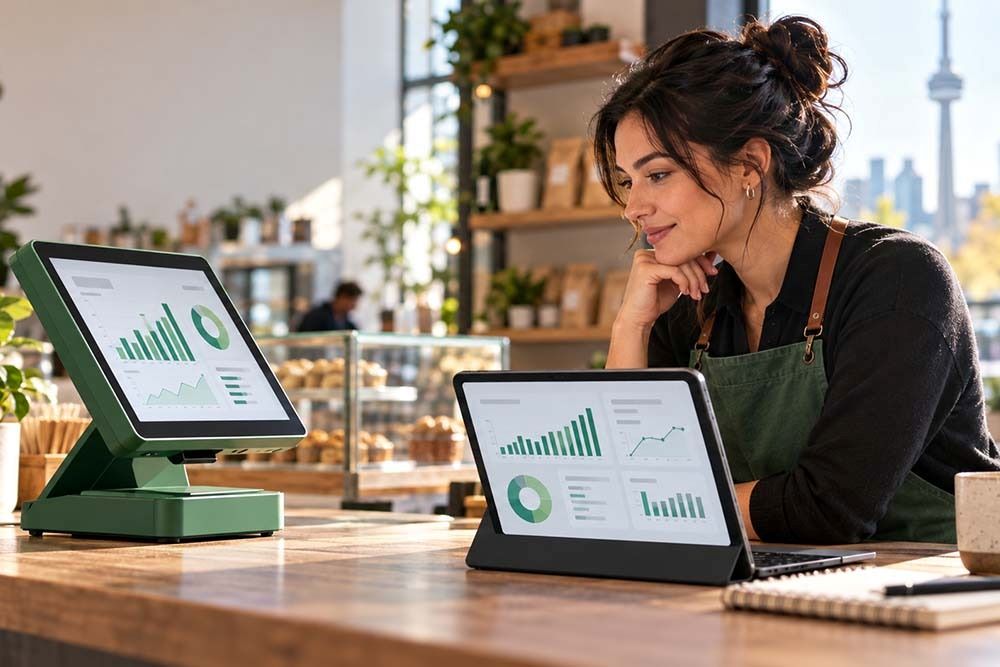
Clover POS reporting Canada business decisions 2026 helps owners understand what is selling, when customers buy, which employees are performing, and where revenue is changing. Instead of relying on memory, owners can review live data and turn weekly trends into better decisions.
What Reports Does Clover Provide?
Clover POS sales reports Canada 2026 can show overall revenue, hourly sales, refunds, discounts, open orders, credit card transactions, and end-of-day totals. Depending on the setup, owners can also review sales by employee, item, category, order type, and time period.
The Clover Dashboard works across computers, tablets, and mobile devices, so business insights Clover POS Canada can be reviewed from almost anywhere.
For multi-location companies, Clover can combine sales information across locations, helping owners compare performance without separate spreadsheets.
Finding Your Best-Selling Products
One of the most useful ways to use Clover data to grow business Canada is to review item-level sales regularly. Clover reports can show which products or services sell most often and which generate the strongest net sales.
A restaurant might discover that one lunch item performs much better on weekdays than weekends. A retailer may notice that certain products sell strongly only when bundled with another item.
Clover POS reporting Canada business decisions 2026 becomes more valuable when owners move beyond simply looking at totals. Ask which items are growing, which are declining, and whether the most popular products are also the most profitable.
Using Weekly Sales Trends
A weekly review of Clover POS sales reports Canada 2026 can reveal patterns early. Compare this week with the previous week, last month, or a similar seasonal period.
Look at total sales, average transaction size, refunds, discounts, busiest hours, and top-selling items. Business insights Clover POS Canada can also help reveal staffing issues. If sales peak every Friday evening, the business may need more employees during that period.
If sales drop during certain hours, owners can test promotions, adjust staffing, or change operating hours based on data instead of assumptions.
Can You Access Reports From Your Phone?
Yes. Clover provides mobile access through its dashboard and Clover Go app. Owners can review sales activity, employee performance, inventory information, statements, and other reporting details from a smartphone or tablet.
This makes Clover POS reporting Canada business decisions 2026 useful for owners who are not always physically present. A manager can check whether sales are tracking normally during the day without calling the store for updates.
Mobile access also makes it easier to use Clover data to grow business Canada because decisions can be made while the information is still current.
Comparing Clover With Manual Tracking
Manual tracking can work for very small businesses, but it becomes time-consuming as transactions grow. Spreadsheets require repeated entry and checking.
Clover POS sales reports Canada 2026 automatically organize transaction information generated through the system. That can reduce duplicate work and provide a more consistent view of sales activity.
Business insights Clover POS Canada can also be exported or connected with accounting software such as QuickBooks and Xero.
Manual spreadsheets may still be useful for budgets, forecasts, or custom analysis, but the POS system can provide the underlying transaction data.
Turning Reports Into Weekly Actions
Set aside 20 to 30 minutes every week to review key Clover metrics.
Choose three questions: What improved? What declined? What action should happen next?
You might change staff scheduling, reorder a fast-selling item sooner, stop discounting an already popular product, or test a promotion during slower hours.
This is how to use Clover data to grow business Canada in a practical way. The goal is not to analyze every number. It is to identify a few useful signals and turn them into decisions.
A simple recurring review also helps owners spot unusual refunds, slow inventory, staffing gaps, and sales changes before those issues become expensive operational problems later.
FAQs
Q1: What reports does a Clover POS system generate for Canadian businesses?
A: Clover can generate sales summaries, hourly sales, item reports, employee performance, refunds, discounts, payment activity, and end-of-day reporting. Available reports depend on the Clover plan, apps, and business setup.
Q2: How do I use Clover POS data to identify my best-selling products?
A: Review item and service sales reports to see quantity sold and net sales. Compare results across time periods to identify consistent top performers and changing customer demand.
Q3: Can I access Clover POS reports from my phone in Canada?
A: Yes. Clover provides cloud-based dashboard access and mobile reporting through supported apps, allowing owners to review sales and business performance remotely.
Q4: How does Clover POS reporting compare to manual tracking?
A: Clover automatically captures transaction data, reducing manual entry and spreadsheet maintenance. Manual tracking can still support custom analysis, but Clover provides faster access to current operating data.


Leave a Reply